Memberships
Unlimited access for a period — predictable monthly income and more loyal clients.
A membership is a package that covers as many bookings as the client wants within one period. There is no visit counter — only an expiry. It suits regulars and gives you predictable monthly income: the client pays once and stops counting.
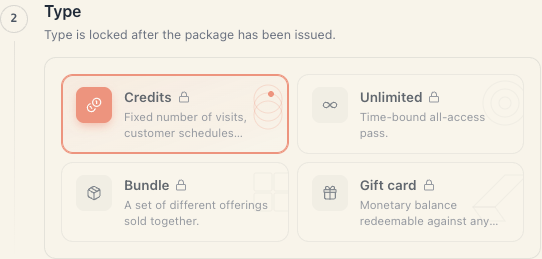
In the editor the type is called Subscription (in the left rail — Unlimited).
1. Membership or credit card?
| Situation | Type |
|---|---|
| ”They come 3× a week, I’m tired of counting” | Subscription |
| ”They buy 10 visits and spend them slowly” | Credits |
| ”I want predictable income every month” | Subscription |
| ”I want to control how often they come” | Credits |
| ”The class has 12 seats and 40 members” | Credits (or a membership plus careful scheduling) |
The economics are simple: a membership wins when the average member comes fewer times than the membership price divided by the single-visit price. If a €60 membership gets used 20 times at a €10 single price, you lose.
2. Creating one, step by step
- Catalog → Packages → the plus button top right — Package.
- Section Basics:
- Label — “Unlimited month”, “Yoga membership”.
- Price — the price for the whole period.
- Expires after — this is the heart of a membership. See §3.
- Description — what it includes.
- Section Type → the Subscription card.
- Section Unlimited access — no fields here. Just the reminder: “Unlimited packages have no per-visit cap. Set an expiry in Basics to time-box the pass — otherwise it never expires.”
- Section Scope — “All offerings” or “Specific offerings”. For “unlimited yoga”, tick only the yoga classes.
- Section Locations (with 2+ branches) — restrict it if the membership is valid at one branch only.
- Create package.
3. The expiry is not optional
Technically you can leave Expires after empty. Don’t: a package with no counter and no expiry is eternal unlimited access to your entire schedule.
| Value | Result |
|---|---|
| 30 | a monthly membership — the common case |
| 7 | a weekly pass, good for trials |
| 90 | a seasonal membership |
| 365 | annual |
| empty | ”Leave empty if the package never expires” — eternal access |
The clock starts on the purchase date, not on the first visit. A client who buys on the 3rd and doesn’t show until the 20th has burnt 17 days.
4. There is no auto-renewal
This is the expectation that most needs correcting:
Mountify does not charge a client’s card every month. No recurring payment, no auto-renewal, no “your membership is expiring” reminder.
Every new period is a new purchase — the client buys again on the site, or you issue a new package from their client card.
The practical routine:
- Once a week open Clients and filter by Active package to see who holds a live membership.
- On each client card the membership shows its expiry date; as it approaches, the line turns red with “Expires in {N} days”.
- Message or call before the date.
5. How it is spent
- At booking nothing counts down — there are no credits to deduct.
- The only constraint is the window: after Expires after the membership covers nothing.
- It works only for offerings inside Scope that have Accepts package payment switched on.
- Cancelling a booking returns nothing — nothing was taken.
On the client card a membership renders without a progress bar (there is nothing to fill) — just a status and an expiry date.
6. Limiting abuse
A membership has no built-in caps (“maximum 3× a week” does not exist). What actually works:
- Scope — make it valid for selected offerings only;
- Locations — one branch only;
- Class capacity — seats are finite and cap usage by themselves;
- A shorter window — less room for over-use;
- Rules outside the system — write them into Description and into the public page’s policy.
7. Money
The rule is the same as for all packages:
- a membership bought online → a sale that hasn’t been paid. In the statement: Package not paid yet, amount 0. It becomes revenue when the money is recorded as collected;
- a membership issued from the client card → Package given away, amount 0, never revenue;
- a collected membership → Package sold at the full amount, in the period it was collected.
Details: Packages & memberships §6.
8. Packages are a paid feature
From the Growth plan upwards. On Start the new-package button carries a padlock and an Upgrade plan link.
9. Troubleshooting
The membership doesn’t cover something it should. Check Scope and the offering’s Accepts package payment switch.
The client insists their membership is still valid. Look at the date on their card. The window runs from purchase, not from the first visit.
How do I renew a membership? Issue a new package from the client card, or let them buy again. There is no in-place renewal.
I want a membership that charges automatically every month. It doesn’t exist. The closest thing is a short window plus a reminder outside the system.
Members filled every class. Narrow Scope or capacity, or stop selling with the Published switch.
What’s next
- Package types — the four types compared.
- Packages & memberships — the big picture and the money.
- Class passes & memberships — what’s specific to a studio with a schedule.
- Redeeming & balances — cancellations and expiry.