Troubleshoot the embed
Booking not showing on your site? Quick checks that fix most cases.
You pasted the code but booking isn’t showing on your site. It is almost always one of seven things. This article puts them in the order you should check them — fastest first, rarest last.
Rule number one: check that the public page works before you look for the problem on your site. The embed shows exactly the same booking flow, so if the page is down the embed cannot possibly work.
1. The test that eliminates half the cases
Open your own booking page in a new tab:
https://book.mountify.eu/<your page address>The address is in the title row of Setup → Public site, and in the Page address row (there is a Copy link button too).
| What you see | Where the problem is |
|---|---|
| Booking works fine | The problem is on your site — jump to §3 |
| The page won’t open, or is empty | The problem is in Mountify — jump to §2 |
2. If the public page itself doesn’t work
2.1. The “Online booking” switch is off
The most common cause. Setup → Public site, the switch at the right of the title row. When it’s off, the pill next to Booking page reads Hidden instead of Live.
Turn it on. The change is immediate; there is nothing to save.
2.2. The subscription has lapsed
If the workspace subscription is cancelled or expired, the public page stops serving and returns a “temporarily unavailable” response. In the admin panel you’ll see a lock screen instead of the board.
Check Workspace settings → Subscription.
2.3. The board is archived
An archived board has no public page. Open the boards list and check whether it’s in the archive.
2.4. The address was changed
If someone edited the Address (the last part of the link) field, the old link stops working — and so does any embed code containing the old address. Copy the new snippet from Setup → Public site → Embed on your site.
2.5. There is nothing bookable
The page opens but shows no services. Three things are needed:
| Check | Where |
|---|---|
| At least one active service | Catalog → Offerings |
| At least one resource (person/room) that can perform it | Catalog → the relevant resource kind |
| Working hours for at least one day | Setup → Working hours |
The board’s Home page carries readiness signals showing exactly what’s missing, and an unbookable service is flagged with a warning in the services list. Detailed diagnosis in Why there are no free times.
3. If the public page works but the embed doesn’t
3.1. Only one of the two lines was pasted
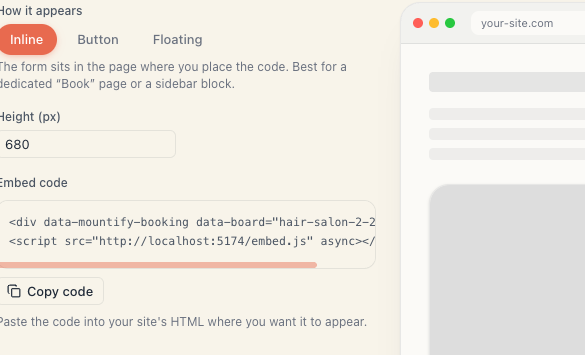
The snippet has two lines:
<div data-mountify-booking data-board="my-salon"></div>
<script src="https://book.mountify.eu/embed.js" async></script>
Without the <div> there is nowhere for the widget to appear. Without the <script> the <div> stays an empty space. Copy the code again with Copy code.
3.2. The code is in the wrong kind of block
| Platform | The right block |
|---|---|
| WordPress (block editor) | Custom HTML |
| WordPress (classic) | the Text tab, not Visual |
| Wix | Embed Code → Embed HTML, the Code option |
| Squarespace | a Code block, type HTML, “Display Source” off |
If you can see the code itself as text on the page, this is exactly the problem.
3.3. The page isn’t published
Every builder has a separate “publish” step. Changes in the editor are invisible to visitors until you press Publish / Update / Save.
3.4. You’re looking at a cached version
Very likely if you just added the code.
- Reload holding Shift (Windows) or Cmd+Shift+R (Mac).
- Or open the page in a private/incognito window.
- If you have a caching plugin (WP Rocket, LiteSpeed, W3 Total Cache) — clear its cache.
- If the site sits behind Cloudflare — purge there too.
3.5. A security plugin stripped the script
Wordfence, Sucuri and similar sometimes remove <script> tags from content. The symptom is distinctive: the code was there, and after saving it’s gone.
Fix: use a code plugin (“WPCode”), which places the script outside page content, or ask the site administrator.
3.6. The frame is too short (Wix)
In Wix the code element has its own height, independent of the setting in Mountify. If the form is cut off at the bottom, drag the frame’s bottom edge in the editor. And remember to do it in the mobile view too.
3.7. There are two widgets at once
If you pasted new code without removing the old, you’ll get two forms or two buttons. Open the page and look for a duplicated data-mountify-booking.
4. Specific symptoms
| Symptom | Cause |
|---|---|
| The form is cut off at the bottom | The Height (px) value is low, or the builder’s frame is short. Inline mode does not auto-resize |
| The floating tab isn’t in the screen corner | The builder put the code inside a frame. Use a shared template / code injection instead of a page block |
| The floating tab overlaps a chat widget | The script supports data-position="left" — add it to the <div> by hand |
| Works on desktop, not on mobile | The builder’s mobile layout is separate. Check it there too |
| The form is light and my site is dark | Normal. The widget carries the look from the booking-page editor, not your site’s theme |
| The font inside is different | Also normal — the widget lives in an isolated frame |
5. Checking through the browser console
If you’re comfortable with browser tools, this gives an exact answer in seconds.
- Open the page and press F12 (or right-click → Inspect).
- Open the Console tab.
- Look for
[mountify] skipped a widget without data-board— that means the<div>lost itsdata-boardattribute. - Open the Network tab and reload. Look for a request to
embed.js:- not there at all → the script was stripped from the site;
- failed to load → an extension, antivirus or site firewall is blocking it.
6. If nothing helps
Before contacting support, gather:
- the address of the page on your site that holds the code;
- the link to your booking page;
- what you see (blank space, code as text, cut-off form);
- which browser and device;
- a screenshot.
With those, an answer takes minutes instead of days.
What’s next
- Embed on your own site — the full code and settings.
- Embed display modes — which mode for which site.
- Add to WordPress — the steps and the WordPress traps.
- Why there are no free times — when the form shows but no slots do.