Hourly rentals
Rent out a resource by the hour — a court, room, studio or equipment — with the Rental type.
A rental is a service where the client books a resource for a stretch of time — a tennis court, a dance room, a photo studio, a rehearsal space, a golf bay, equipment. In Mountify this is the Rental / resource offering type.
The difference from an appointment is fundamental: with an appointment the client picks a specialist and a time, and the service has a fixed duration. With a rental the client picks how long — one slot, two in a row, four in a row — and the price grows with them.
1. When to choose “Rental / resource”
| Situation | Type |
|---|---|
| A court rented by the hour, people play 1–2 hours | Rental / resource |
| A rehearsal room rented in 30-minute units | Rental / resource |
| A photo studio, minimum 2 hours | Rental / resource |
| A haircut with a specific stylist, 45 min | Appointment |
| Yoga with 12 seats on a schedule | Group class |
| Equipment that comes with another service (helmet, towel) | not a rental — that’s an add-on on the service |
The rule: if you sell time on a thing, it’s a rental. If you sell a person’s work, it’s an appointment.
The type locks after creation. Open a saved offering and the type cards are disabled: “Type is locked after creation. To change — create a new offering of the desired type.”
2. Vocabulary — the four words you need
| Word | What it means |
|---|---|
| Slot | the smallest rentable unit. “A slot is the smallest bookable unit. Customers see free slots on this grid.” |
| Slot length | how many minutes one slot is: 30 min / 1 h / 2 h, or a custom value between 15 and 240 min |
| Booking length | the minimum and maximum number of consecutive slots in one reservation |
| Price per slot | the price of one slot. The total is “price × number of slots” |
Example: slot 1 h, minimum 1, maximum 4, price per slot €15 → the client can rent 1 to 4 hours in one go and pays €15 to €60.
There is a hard ceiling: one reservation cannot exceed 12 hours total. If the slot length forces it, the maximum slot count is lowered automatically and a note appears: “Capped at {12 h} total — the customer can pick up to {N} slots in a row.”
3. Where rentals live
Rentals are not a separate section. They are offerings and sit in Catalog → Offerings, next to appointments and classes. You recognise them by:
- the type in the editor — Rental / resource;
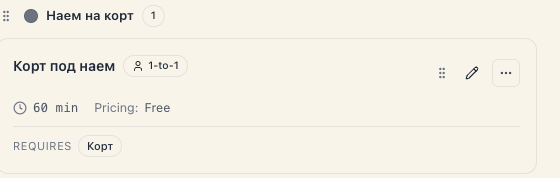
- the Requires line on the card — the kind of the rented resource;
- the quick filter Rentals {N} on the Catalog landing, where each card is tagged “rental”.
The rented things themselves (courts, rooms, machines) are resources and live in Catalog → Resource kinds. The rental is the offering that sells them by the hour.
4. The client’s path
- On the public page the client sees the rentals section and picks what they want.
- If you allowed it, they pick which specific resource (court 2, the “Blue” room); if not, the system assigns a free one.
- They pick a day and see a grid of slots — exactly the length you configured.
- They mark one or several consecutive slots, within the minimum and maximum.
- They see the total and confirm.
If you enabled online payment at board level, payment happens here. Careful — the Deposit & prepayment block is not rendered in a rental’s editor; see Rental deposits.
5. What a rental does NOT do
- It doesn’t sell by the day. A daily rental (“2 days of ski gear”) has no editor of its own — you work with hourly slots up to 12 hours total.
- There are no ready-made “windows” with a fixed start and end. See Fixed time windows for what actually exists today.
- There is no Pricing section. For a rental it is replaced by Rental settings and the Price per slot field. The deposit block disappears along with it.
- It doesn’t allow broken-up hours in one reservation. “10 to 11 and 14 to 15” is two bookings — slots in one reservation must be consecutive.
- It never emails a client you booked by hand. As everywhere in Mountify, emails only go out for bookings made through the public page.
6. What still affects the price
Even though “Pricing” is absent, two things keep working for rentals:
- Price by day & time — this section is rendered for rentals too. “Surcharges or discounts based on the day and time”: e.g. “weekend +20%”.
- Loyalty and promo codes — discounts apply to the booking total.
7. Troubleshooting
The rental shows no free times. Check three things: is there at least one active resource of the chosen kind; are there working hours for that day; and is everything simply booked out. The full diagnosis is in Why are there no free times.
I can’t pick a “person” as the rented resource. Deliberate. For a rental the Main resource dropdown lists only non-person kinds — rooms, courts, equipment, things. A person is rented as an appointment.
The client can’t rent 6 hours. Check the maximum under Booking length, and the overall 12-hour ceiling.
I want a different price for mornings and evenings. Use Price by day & time.
What’s next
- Set up a rental — step by step.
- Rental slots & pricing — the numbers in detail.
- Multiple units & availability — four courts, one rental.
- Rental deposits — what is actually possible today.